- Home Page /
- Electronics /
- Television & Video /
- Television Accessories /
- Cables /
- HDMI Cables /
- MT-VIKI 2 Pack USB KVM Cable - 6ft, 4K HDMI U...
0 ratings





Item #:
37970673
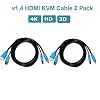
MT-VIKI 2 Pack USB KVM Cable - 6ft, 4K HDMI USB A/B Twin Cord for Standard KVM Switch
Item #:
37970673
XAF 13123
Price Details
Excluding Shipping & Custom charges ( Shipping and custom charges will be calculated on checkout )
*All items will import from US
In stock
 Imported from USA store
QTY:
Order now and get it around Friday, June 26
Secured transaction
Ubuy works hard to protect your security and privacy. Our advanced payment security system ensures confidentiality by encrypting your information during transmission using AES (Advanced Encryption Standards) and SSL (Secure Socket Layer) protocols. Your payment details are 100% secure as we do not share your payment details with third party sellers.
Our Top Logistics Partners


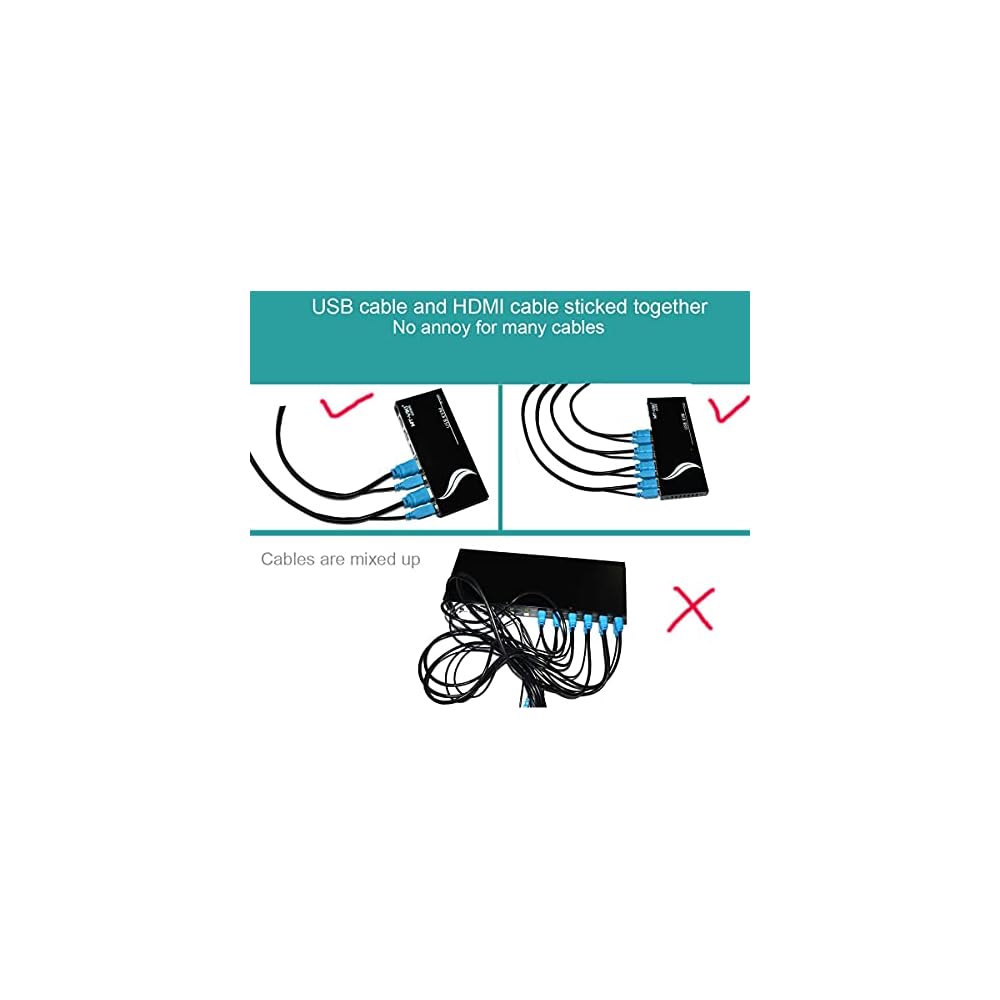
This USB HDMI KVM cable is designed to save space and extend your original HDMI cable length for multiple devices.

Fast
Shipping

Free
Return*

Secure Packaging

100% Original Products

PCI DSS Compliance

ISO 27001 Certified


Note: Step Down Voltage Transformer required for using electronics products of US store (110-120). Recommended power converters Buy Now.


What Stands Out
High Resolution
Experience stunning visuals with 4K support, enhancing your gaming and multimedia experience while connecting multiple devices seamlessly.
Durable Design
Crafted with premium materials for long-lasting performance, this cable withstands wear and tear, ensuring reliable connections in various environments.
Versatile Compatibility
Compatible with a range of KVM switches, this cable simplifies multitasking across different devices, making it an essential tool for home and office setups.
Product Details
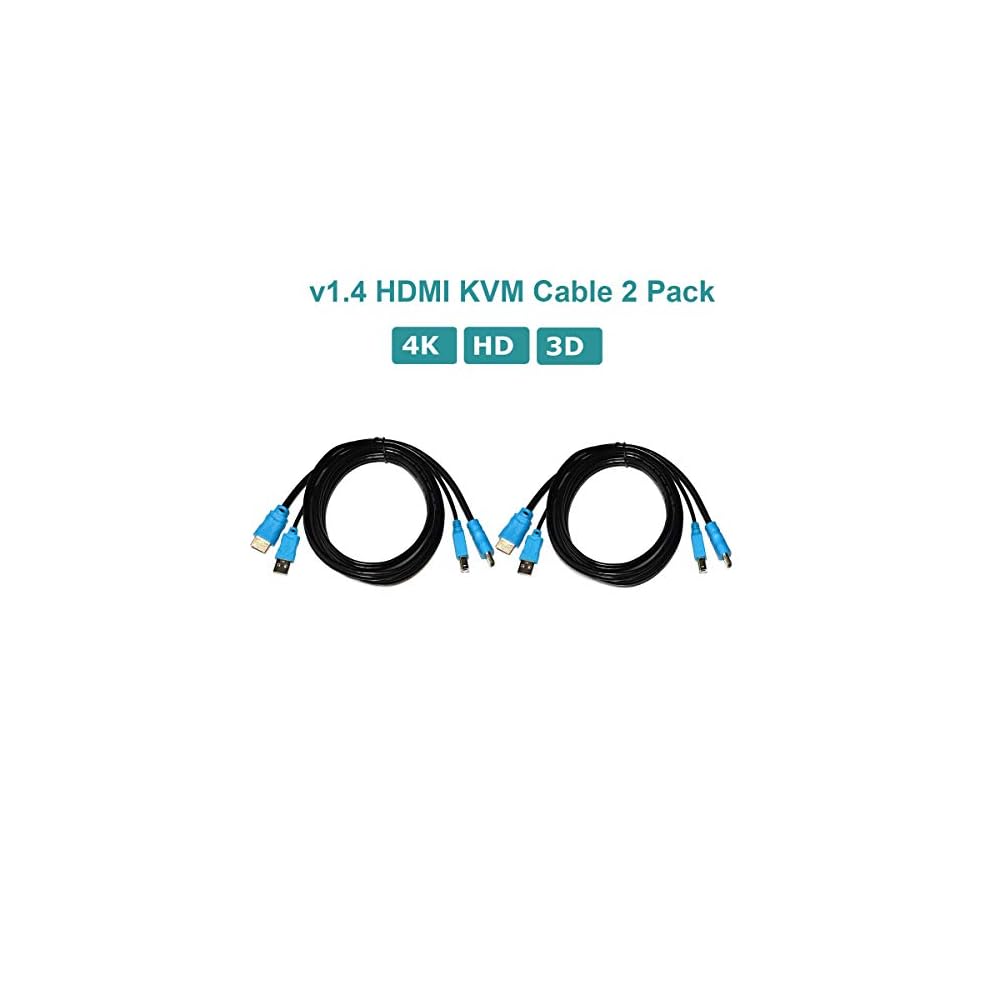
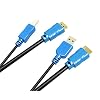
- ►This USB HDMI KVM cable is designed to save space (cable mess) and extend your original HDMI cable length. It's standard twins KVM cable, 2 packs with HDMI USB A to HDMI USB B
- ►support 4K @30Hz 10Gbps 3D and standard HD output, each cable splittable, also work as standard HDMI cable
- ►It works for all hdmi kvm switches that require HDMI USB A to HDMI USB B
- ►Applicable to HDMI 4K Blu-ray Player, Smart 3D, Media PC, PS4, PS3, XBox one, XBox One S, Xbox 360, Roku, computers and other HDMI-enabled devices to 4k TVs & displays, Ultra HD A/V receivers and more
| Connector Type | HDMI |
| Cable Type | HDMI |
| Compatible Devices | PC |
| Other Special Features of the Product | High Speed |
| Connector Gender | Male-to-Male |
| Data Transfer Rate | 10 Gigabits Per Second |
| Number of Pins | 19 |
| Frequency | 30 Hz |
| Recommended Uses For Product | kvm switch |
| Indoor Outdoor Usage | Indoor, Outdoor |
| Color | black |
| Item Shape | Round |
| Brand Name | MT-VIKI |
| Model Name | MT-VIKI H18 |
| Customer Package Type | Standard Packaging |
| Model | MT-VIKI H18 |
| Manufacturer | MT-VIKI |
| Unit Count | 2 Count |
| Number of Items | 2 |
| Outer Material | Copper |
| Brand | MT-VIKI |
| Special Feature | High Speed |
| Item Weight | 0.5 lbs (230 grams) |
Who Should Buy?

-
Office Workers
Ideal for professionals who switch between multiple computers while maintaining high video quality and easy control.
-
Tech Enthusiasts
Perfect for users who require a seamless connection between their personal devices and high-definition displays.
-
Gamers
Great for gamers who need to switch quickly between gaming setups without sacrificing performance or image quality.

-
Casual Users
Not suitable for users who only use one device, as it may be more complicated than necessary.
-
Remote Workers
May not be ideal for remote workers with limited physical access to their workstation setups.
-
Budget Buyers
Not recommended for those seeking low-cost alternatives, as this product is positioned at a higher price point.
Product Description
Have any Query? Chat with us
Customer Questions & Answers
-
Question:
What are the key features of the MT-VIKI USB HDMI KVM Cable?
Answer: The MT-VIKI USB HDMI KVM Cable features high-speed connectivity, allowing you to switch between two computers using just one monitor, keyboard, and mouse setup. It supports 4K resolution, delivering crisp and clear visuals, perfect for graphic-intensive applications. With a length of 6 feet, this cable provides ample reach for flexible setups, making it ideal for both home offices and professional environments. -
Question:
How does the MT-VIKI KVM Cable connect to my devices?
Answer: To connect the MT-VIKI KVM Cable, plug the HDMI USB A into your computer’s HDMI port and the HDMI USB B into your monitor. Then, connect the USB cables to your keyboard and mouse. This setup lets you control multiple computers seamlessly from one station without the hassle of constantly swapping cables or devices. -
Question:
Is it compatible with all KVM switches?
Answer: The MT-VIKI KVM Cable is designed for standard KVM switches and is compatible with most devices that support HDMI and USB connections. However, compatibility may vary based on specific KVM models, so it's advisable to check your switch’s specifications. This versatility allows you to integrate it into existing setups easily. -
Question:
What kind of devices can I use with this KVM cable?
Answer: You can use the MT-VIKI KVM Cable with a variety of devices including desktops, laptops, and monitors. It is especially beneficial for anyone needing to manage multiple machines, such as software developers or IT professionals who regularly troubleshoot different systems. This makes it an essential tool for efficient multitasking. -
Question:
Can I achieve 4K resolution with this KVM cable?
Answer: Yes, the MT-VIKI KVM Cable supports 4K resolution at 60Hz. This enables you to enjoy ultra-high-definition visuals, which is critical for tasks such as video editing or gaming, where clarity is essential. Ensure your devices also support 4K output to fully leverage this capability. -
Question:
What is the significance of the 6ft length in the MT-VIKI KVM Cable?
Answer: The 6ft length of the MT-VIKI KVM Cable provides flexible placement options for your workstation, allowing you to position devices without being restricted by cable length. This is particularly useful in larger office setups where distance between computers and monitors may vary. -
Question:
Does it support audio output?
Answer: Yes, the MT-VIKI KVM Cable supports audio output along with video. This can enhance your multimedia experience when using applications requiring sound, such as video conferencing or streaming. This feature is advantageous for users who engage in presentations or enjoy media entertainment on their computers. -
Question:
How do I switch between computers using this KVM cable?
Answer: Switching between computers using the MT-VIKI KVM Cable is straightforward. Simply use the KVM switch's controls, which may include physical buttons or keyboard shortcuts, to toggle between connected devices. This convenience allows for seamless multitasking without the need for additional hardware adjustments. -
Question:
What advantages does using a KVM cable provide?
Answer: Using a KVM cable like the MT-VIKI enhances productivity by allowing you to control multiple computers from a single keyboard, mouse, and monitor setup. This reduces workspace clutter and minimizes the need for multiple peripherals, making it beneficial for users needing efficiency in multi-system management. -
Question:
Where can I buy MT-VIKI 2 Packs USB HDMI KVM Cable in Equatorial Guinea?
Answer: You can purchase the MT-VIKI 2 Packs USB HDMI KVM Cable from Ubuy, which provides a reliable platform for acquiring this product in Equatorial Guinea. Ubuy offers a wide range of technology accessories, ensuring you receive quality service and product availability.
MT-VIKI HDMI Cables Editorial Review
The MT-VIKI 2 Pack USB KVM Cable has garnered largely positive feedback from customers who have had the opportunity to use it over an extended period. Users appreciate that the cables are as advertised, highlighting their satisfactory quality, flexibility, and ease of use. Reviewers note that the 6-foot length is more than adequate for most setups, allowing for tidy and organized cabling in various configurations, particularly in rack environments. Many customers have expressed confidence in the product's reliability, with some using the cables for up to six months without any reported problems. Although one reviewer mentioned a concern over the cables being split too far for their preference, overall, there are no serious complaints regarding performance. The common sentiment among users is that these cables have resolved previous connectivity issues they faced with older models, reinforcing MT-VIKI's reputation as a dependable option for KVM connections. Several buyers indicated a willingness to repurchase the product, further underscoring their satisfaction. In summary, customers find the MT-VIKI 2 Pack USB KVM Cable efficient, reliable, and aesthetically pleasing for maintaining organized setups. **
Customer Reviews & Ratings
84 customers ratings
-
5 Star
65%
-
4 Star
23%
-
3 Star
2%
-
2 Star
4%
-
1 Star
6%
Review this product
Share your thoughts with other customers
Pros
- Quality cables that work as advertised
- Flexible and easy to manage
- Adequate length (6ft) for various setups
- Users willing to repurchase
Cons
- Some users found the splitting of the cables less preferable
Product Price History
Important information
- Limitations : For products shipped internationally, please note that any manufacturer warranty may not be valid; manufacturer service options may not be available; product manuals, instructions, and safety warnings may not be in destination country languages; the products (and accompanying materials) may not be designed in accordance with destination country standards, specifications, and labeling requirements; and the products may not conform to destination country voltage and other electrical standards (requiring use of an adapter or converter if appropriate). The recipient is responsible for assuring that the product can be lawfully imported to the destination country. When ordering from Ubuy or its affiliates, the recipient is the importer of record and must comply with all laws and regulations of the destination country.
- Not all the products listed on Ubuy are for sale, as Ubuy is a global search engine. Products are subject to export/trade regulations.
XAF 13123
Order now and get it around Friday, June 26
This item is not restrict in my country.(Please click on above link if this item is not restrict in your country, So our team will review and allow.)
QTY:
Secured transaction
Ubuy works hard to protect your security and privacy. Our advanced payment security system ensures confidentiality by encrypting your information during transmission using AES (Advanced Encryption Standards) and SSL (Secure Socket Layer) protocols. Your payment details are 100% secure as we do not share your payment details with third party sellers.
Our Top Logistics Partners
Fastest cross-border delivery
Features & Benefits
- 2 packs with HDMI USB A to HDMI USB B.
- Supports 4K @30Hz 10Gbps 3D and standard HD output.
- Splittable cable that also works as standard HDMI cable.
- Compatible with HDMI KVM switches.
- Applicable to various HDMI-enabled devices to 4k TVs and displays.
- Ultra HD A/V receivers compatible.