Shop Computer Data Storage Devices Online at Ubuy Equatorial Guinea
In the data-driven world, reliable digital storage is no longer just a luxury; it is an absolute necessity. Whether you are a professional managing massive corporate databases, a gamer needing rapid load times, or someone simply looking to preserve precious family photos, selecting the right hardware makes all the difference. Finding the best computer data storage devices online ensures your digital life remains safe, accessible, and running at peak performance. Shopping on Ubuy Equatorial Guinea is heavily focused on solving a major headache for online buyers: accessing products that simply aren't sold in your home country. When your internal drive fills up, your entire system bottlenecks, causing applications to crash and productivity to stall. Relying solely on standard cloud services can leave you vulnerable to internet outages, recurring subscription costs, and data privacy breaches. Finding the best computer data storage devices online ensures your digital life remains safe, highly accessible, and running at peak performance, without being tethered to a Wi-Fi connection.
Different Types of Computer Data Storage Hardware on Ubuy
Computer data storage devices are split into internal storage (Internal HDDs and fast, flash-based Internal SSDs) for running the computer's system, and external storage (External HDDs and External SSDs) for backups and extra space. There are several compact storage devices for pc which you can try out, like portable USB flash drives, which provide quick, pocket-sized file sharing, while external zip drives represent obsolete legacy technology from the late 90s. Ultimately, they all serve to hold data, differing only by location, speed, and whether they use moving magnetic parts or silent flash memory. Here are different types of computer storage for daily use, given below:
1. Primary Storage (Internal/Volatile)
These devices are directly accessed by the CPU to hold data currently in use. RAM is a volatile, temporary memory that stores active programs and data for quick multitasking. Cache Memory is ultra-fast, a very small memory located directly on or near the CPU that stores frequently used data to speed up processing. ROM is non-volatile memory that retains its data even when the computer is off. It contains essential startup instructions (such as BIOS) for booting up.
2. Secondary Storage (Long-term/Non-Volatile)
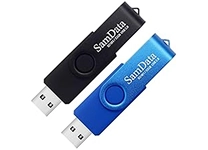
Used for permanent data storage, where data remains intact even without power. This is where you utilise SSD storage devices for pc and standard Hard Disk Drives (HDDs) as traditional, mechanical storage devices that use spinning magnetic platters for high capacity at a lower cost. To unlock absolute efficiency, you can try a high-quality portable SSD for office work. If you’re looking for flexibility, external storage devices for computers and portable hard drives for laptop users allow you to expand storage capacity externally. This category also includes highly mobile USB storage devices for computer data transfers, ultra-fast portable data storage devices, and a lightweight high-speed external storage drive for easy travel, as well as traditional Optical Discs (CDs, DVDs, Blu-rays) that use laser technology.
3. Tertiary and Network Storage
Used for large-scale data archiving, remote access, and dedicated computer backup storage devices to secure your files against data loss. Magnetic Tape is utilised by large enterprises for massive, long-term, and cost-effective data backups. Cloud Storage refers to remote, web-based storage services (e.g., Google Drive, Dropbox, iCloud) that allow you to access data from anywhere via the internet. Network-Attached Storage (NAS) / Storage Area Network (SAN) consists of dedicated storage devices or networks that allow multiple computers to access shared data. If you are looking to secure any of these setups, you can easily buy computer storage devices online through major tech retailers.
Choosing the Right Types of Computer Data Storage Devices on Ubuy
Here is a structured overview comparing these top-tier data storage brands, breaking down their primary hardware specialisations, core target audiences, and standout product series to help customers find the right device. Go ahead and check out some quality data backup devices for laptops you won’t want to miss out on.
| Brand Name | Primary Hardware Specialisation | Core Target Audience | Flagship Product Series |
| Seagate | Mechanical Hard Drives (HDD) & Enterprise Storage | Gamers, creative professionals, and NAS users | FireCuda (Gaming), IronWolf (NAS), One Touch / Expansion (External) |
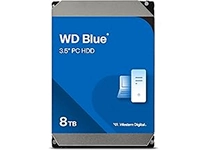
| Western Digital | Internal & External HDDs, Solid-State Drives (SSD) | General consumers, PC builders, and enterprise IT | WD Black (Performance), WD Blue (Everyday), My Passport (Portable) |
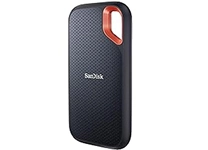
| SanDisk | Flash Memory, USB Drives, & Portable SSDs | Photographers, videographers, and mobile professionals | Extreme Portable SSD, Ultra Dual Drive, Extreme PRO |
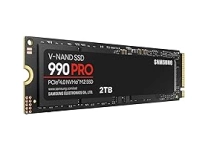
| Samsung | High-Performance NVMe & Mainstream Consumer SSDs | Power users, hardcore gamers, and general PC consumers | 990 PRO (NVMe), 870 EVO (SATA), T7 Shield (Portable) |
| Kingston | Budget-Friendly SSDs, USB Drives, & RAM | Everyday consumers, system upgraders, and IT managers | DataTraveler (USB), Kingston FURY (RAM/SSD), NV2 (Value NVMe) |
| Crucial | Cost-to-Performance Internal SSDs & Desktop Memory | PC upgraders, mainstream gamers, and value shoppers | MX500 (SATA), T500 / T700 (PCIe NVMe), X9 Pro (Portable) |
| Toshiba | Reliable Mechanical HDDs & Bulk Archiving | Budget storage hunters, PC Gamers, NAS users, and enterprise servers | Canvio Advance, X300 Gaming HDD, N300 NAS |
| Lexar | High-Speed Memory Cards & Mainstream SSDs | Content creators, drone pilots, and everyday PC users | Professional CFexpress, NM790 NVMe, JumpDrive |
| PNY | Flash Drives, SSDs, & NVIDIA Graphics Cards | Everyday professionals, budget builders, and gaming enthusiasts | XLR8 Gaming, EliteX-PRO, Turbo USB 3.0 |
| Transcend | Rugged External Storage & Industrial Memory | Travellers, outdoor professionals, and industrial users | StoreJet (Rugged HDD), ESD series Portable SSD |